Physical Address
304 North Cardinal St.
Dorchester Center, MA 02124
Physical Address
304 North Cardinal St.
Dorchester Center, MA 02124
Learn how Chalk Augmented Reality works, its features, benefits, and real-world uses. Discover how AR remote assistance improves support and training.
Imagine trying to repair a complex machine while someone explains the process over the phone. Even with detailed instructions, misunderstandings are common. Now imagine if that expert could see exactly what you see and draw instructions directly onto the object in front of you. That is the core idea behind chalk augmented reality.
Augmented reality (AR) blends digital information with the physical world. Instead of replacing reality like virtual reality, AR overlays graphics, text, or markers on top of what your camera sees. According to the technology company PTC, augmented reality systems combine real-world imagery with digital overlays to improve visualization and collaboration.
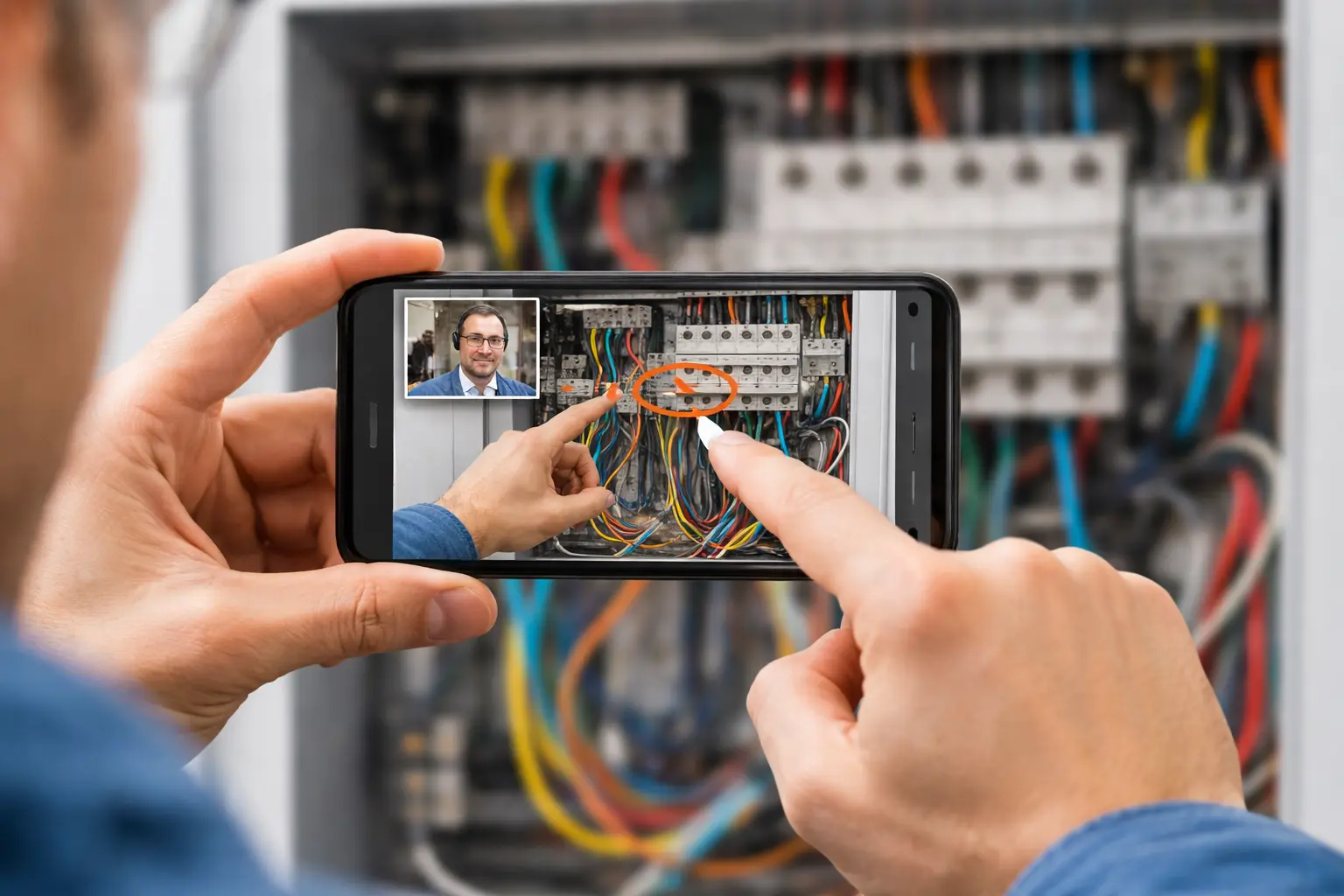
Chalk augmented reality takes this concept further by enabling real-time remote collaboration. Through a smartphone or tablet camera, two people can share a live view of a physical environment while drawing visual annotations that remain attached to objects in the scene.
For businesses, technicians, educators, and support teams, this technology can dramatically reduce confusion and speed up problem-solving.
If you are exploring modern remote-assistance tools, understanding how chalk augmented reality works can help you decide whether it is the right solution for your workflow.
Chalk augmented reality refers to an AR-based remote collaboration tool that allows users to place visual annotations on a live video feed of the real world. These annotations appear as drawings or markers that stay attached to physical objects even when the camera moves.
The technology became widely known through Vuforia Chalk, a collaboration application developed by PTC, a company specializing in industrial AR solutions.
When you use chalk augmented reality, two people typically participate:
• A field user, who points a smartphone camera at the environment
• A remote expert, who observes the live video feed and adds instructions
The remote expert can draw arrows, circles, or notes on the screen. The AR system tracks the environment so those markings remain anchored to real objects.
This makes communication far clearer than verbal instructions alone.
According to PTC’s product overview, Vuforia Chalk uses advanced computer vision to keep annotations attached to objects while the camera moves (PTC Vuforia Chalk overview).
Chalk augmented reality gained recognition after PTC introduced Vuforia Chalk in 2017. The tool was built on the Vuforia AR platform, which provides computer-vision capabilities for recognizing and tracking real-world environments.
The Vuforia platform enables applications to detect surfaces, objects, and spatial relationships in real time. This allows AR annotations to remain locked to specific positions in the environment.
Since then, AR remote-assistance tools inspired by chalk augmented reality have appeared across multiple industries.
Understanding how chalk augmented reality functions helps you see why it is such a powerful communication tool.
When you use chalk augmented reality, the workflow typically follows these steps:
Because the annotations remain anchored to the environment, you can move the camera while the instructions stay aligned with the object being discussed.
This capability significantly improves clarity during remote troubleshooting.
Several technologies work together to make chalk augmented reality possible.
Computer Vision
Computer vision algorithms analyze camera images to detect surfaces and objects. This enables the system to understand where annotations should be placed.
Spatial Tracking
The software tracks camera motion and updates the position of digital elements so they remain anchored to real objects.
Real-Time Video Streaming
Live video allows remote experts to see exactly what the field user sees.
Mobile AR Frameworks
Modern AR applications rely on frameworks such as:
• Apple ARKit
• Google ARCore
These frameworks provide motion tracking and environmental understanding.
Together, these technologies allow chalk augmented reality to function smoothly on standard smartphones.
If you are evaluating AR remote-support solutions, several features make chalk augmented reality particularly useful.
Real-time visual annotations
You can draw instructions directly onto the live camera view.
Persistent object tracking
Annotations remain attached to real objects even when the camera moves.
Two-way collaboration
Both participants can communicate visually and verbally during the session.
Mobile device compatibility
Most AR collaboration tools run on smartphones or tablets.
No specialized hardware required
Unlike some AR systems, chalk augmented reality does not require expensive headsets.
These capabilities make the technology accessible to many organizations.
Companies across multiple industries use chalk augmented reality to streamline operations.
Faster problem resolution
Technicians receive visual instructions instead of relying on verbal explanations.
Reduced travel costs
Experts can assist remotely instead of traveling to a site.
Improved training
New employees learn tasks through visual demonstrations.
Better knowledge transfer
Experienced professionals can share expertise with remote teams.
For organizations with distributed teams, these benefits can translate into measurable productivity improvements.
Chalk augmented reality is not limited to one industry. Its visual collaboration capabilities make it useful in many fields.
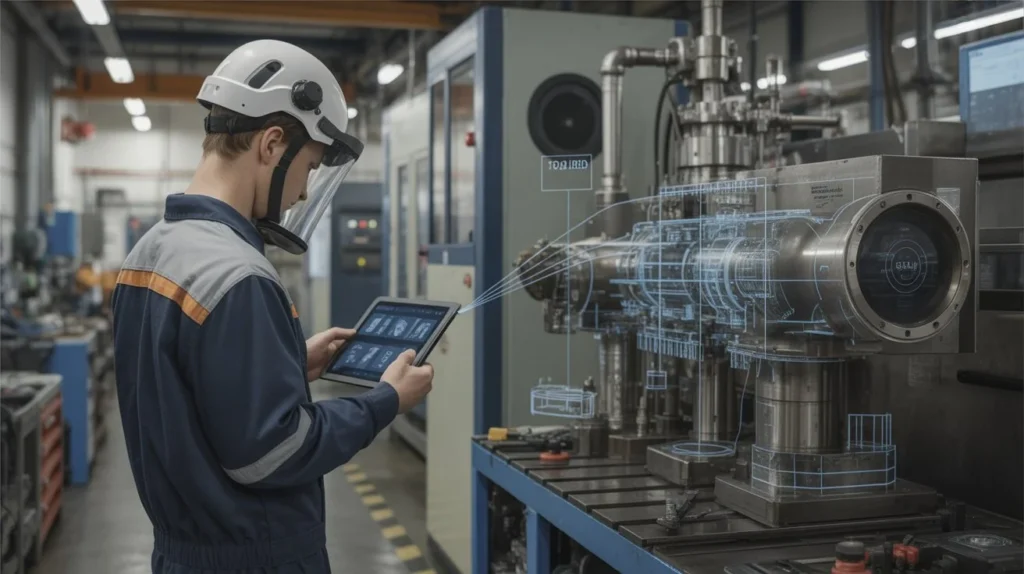
Manufacturing facilities often rely on complex machinery that requires specialized knowledge.
When a machine fails, you may need expert assistance quickly.
With chalk augmented reality:
• A technician streams the equipment through a smartphone
• A remote engineer draws instructions directly on the machine
• Repairs can begin immediately
This approach reduces downtime and avoids costly delays.
IT teams frequently troubleshoot hardware issues for remote users.
Instead of explaining steps verbally, support specialists can visually guide users by marking specific components or cables.
This makes it easier for non-technical users to follow instructions.
Training programs often require instructors to demonstrate procedures.
With chalk augmented reality, trainers can guide learners remotely while pointing out exact components or steps.
This is particularly useful for:
• vocational training
• engineering education
• medical simulations
Companies can use AR collaboration to assist customers during product installation or setup.
For example:
• appliance installation
• electronics configuration
• equipment calibration
By visually guiding customers, support teams reduce confusion and improve satisfaction.
While chalk augmented reality offers many benefits, it is important to understand both its strengths and limitations.
Improved communication
Visual instructions eliminate misunderstandings that often occur during phone calls.
Rapid deployment
Most solutions work on existing smartphones or tablets.
Lower operational costs
Remote support reduces travel expenses and service delays.
Better collaboration
Teams can work together even when they are geographically separated.
Internet dependency
Stable connectivity is required for live video communication.
Hardware constraints
Older smartphones may struggle with advanced AR tracking.
Privacy concerns
Sharing live camera feeds may raise security considerations.
Tracking accuracy
In environments with poor lighting or complex surfaces, AR tracking can occasionally lose accuracy.
Despite these limitations, ongoing improvements in mobile hardware and AR software continue to make the technology more reliable.
Traditional remote support usually relies on phone calls, messaging, or screen sharing.
Chalk augmented reality offers a different approach.
Traditional support challenges include:
• unclear instructions
• language barriers
• difficulty describing physical objects
AR collaboration solves many of these problems by allowing experts to visually indicate exactly what needs attention.
Instead of saying “turn the small screw near the panel,” the expert can circle it directly on the screen.
This level of clarity dramatically improves efficiency.
The rapid growth of augmented reality suggests that tools like chalk augmented reality will become increasingly common.
Several trends are driving this development.
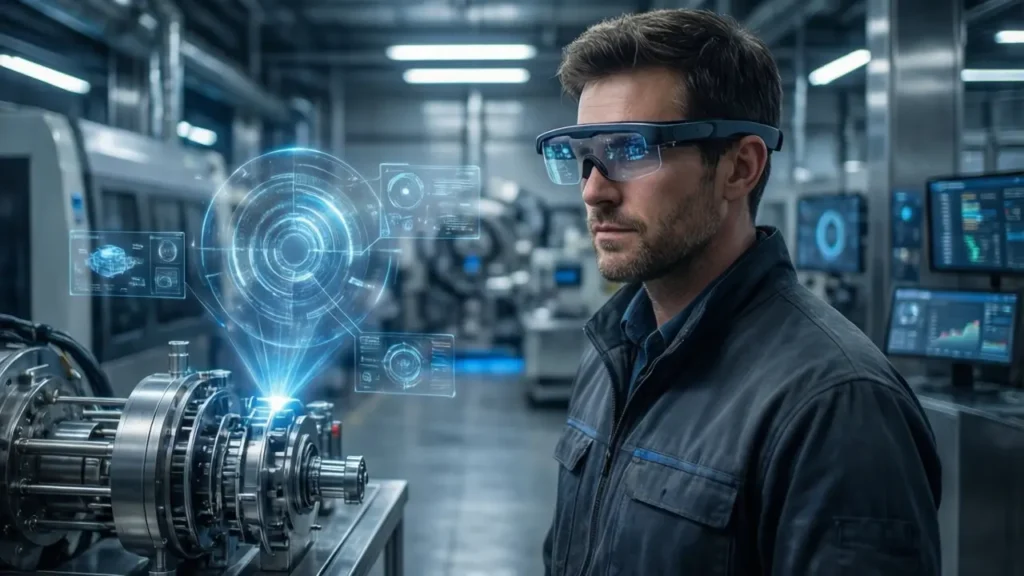
Future AR collaboration systems may use smart glasses instead of smartphones.
This would allow technicians to work hands-free while still receiving visual instructions.
Artificial intelligence could analyze equipment in real time and suggest troubleshooting steps automatically.
Remote experts would then confirm or refine those suggestions.
Large organizations are beginning to build digital environments that combine AR, IoT sensors, and real-time collaboration.
In these environments, chalk-style AR annotations could become part of everyday workflows.
As these technologies mature, AR collaboration will likely become a standard feature of many business operations.
If you are interested in adopting chalk augmented reality, getting started is relatively straightforward.
To use AR remote-assistance tools, you typically need:
• a smartphone or tablet with a modern camera
• an AR-enabled operating system
• stable internet connectivity
• an AR collaboration application
Many platforms also integrate with existing communication tools used by organizations.
You can introduce chalk augmented reality into your workflow using these steps:
Starting with small pilot projects allows teams to learn the technology before expanding its use.
Chalk augmented reality is a remote collaboration technology that lets two users share a live camera view and draw visual annotations on real-world objects during a video session. These annotations remain attached to the objects through computer-vision tracking.
Chalk augmented reality works by combining live video streaming with AR object tracking. A remote expert observes the camera feed and adds digital drawings or instructions that stay anchored to the physical environment.
Most chalk augmented reality tools run on smartphones or tablets that support AR frameworks such as Apple ARKit or Google ARCore.
Industries that benefit from chalk augmented reality include manufacturing, IT support, field service, education, and customer service operations.
Yes. Even though new AR collaboration tools have emerged, the concept introduced by chalk augmented reality remains widely used for remote assistance and training.
Chalk augmented reality represents a practical example of how augmented reality can transform communication and collaboration.
By allowing experts to draw instructions directly onto real-world environments, this technology removes many of the barriers that make remote support difficult. Technicians can resolve problems faster, companies can reduce travel costs, and teams can collaborate more effectively regardless of location.
If your organization relies on remote troubleshooting, technical training, or field service operations, exploring chalk augmented reality solutions could significantly improve efficiency.
Start evaluating AR collaboration tools today and see how visual guidance can transform the way you support customers, train employees, and solve technical challenges.







The way Chalk AR overlays instructions directly onto real-world objects seems like a real game-changer for reducing mistakes during complex tasks. I’m curious how different industries are customizing this technology for their specific workflows. It seems like the potential for remote training and support is huge.
You’re right, the ability to place instructions directly on real-world objects can significantly reduce confusion during complex tasks. Many industries are already adapting AR collaboration tools for specific workflows, especially in manufacturing, field service, and technical training. As the technology evolves, its role in remote training and support will likely continue to expand.
This breakdown of how AR remote assistance works really highlights the practical value it brings to complex troubleshooting. It’s fascinating to think about how visual annotations overlaid in real-time can eliminate so many of the miscommunications that happen during remote support. The application in industries like healthcare and education makes me curious about how this tech might evolve to support more collaborative learning environments.
You’re absolutely right, real-time visual annotations can make remote troubleshooting much clearer and more efficient. As AR technology improves, it will likely play a bigger role in collaborative learning and training, especially in fields like healthcare, education, and technical skills development.